Download a VPN app for iOS device
Enjoy secure access to your favorite content with one of the fastest iOS VPNs.
在 Wi-Fi 和行動數據上加強您的手機隱私與安全。
Hide your IP address and browse privately on iPhone or iPad.
超值 85% 折扣 — 守護您的上網自由。

Enjoy secure access to your favorite content with one of the fastest iOS VPNs.
在 Wi-Fi 和行動數據上加強您的手機隱私與安全。
Hide your IP address and browse privately on iPhone or iPad.
可在
VPN(Virtual Private Network,虛擬私人網路)能保護您在 iPhone 和 iPad 上的網路活動。簡單來說,它會加密您裝置收發的資料,使其免受窺探。它還會隱藏您的 IP 位址並變更您的虛擬位置——為您帶來更多隱私、更佳的安全性以及更大的網路自由。
VPN 透過加密您的網路流量,為您的 iPhone 或 iPad 提供額外的隱私保護層。無論您是在家中、咖啡廳還是國外上網,它都能保護您的資料免受追蹤器和窺探者的侵擾。以 85% 的折扣無風險試用——絕無附帶條件。
Enjoy your favorite content and websites from anywhere with peace of mind. A VPN gives you more freedom while keeping your personal data safe.
VPN 會更改您裝置的 IP,使廣告商、駭客或網路服務供應商更難追蹤您的線上位置或行為。
Using Wi-Fi in public places? A VPN encrypts your traffic to keep your iOS device safe from cyber threats and hackers.
Avoid traps set by cybercriminals. VPNs like Threat Protection Pro™ detect malicious websites and suspicious ads before they can do harm.
Tap 'Get' to download and install the app.
Tap the connect button to secure your device.
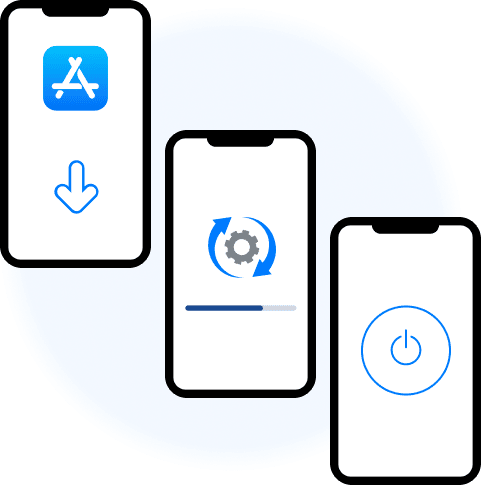

只需啟動應用程式、輕點連線,即可享受安全、快速且私密的瀏覽體驗。只要輕輕一點,就能在您的 iPhone 或 iPad 上獲得更佳的保護與更流暢的體驗。
Using a VPN on your iPhone keeps your data secure — even on public Wi-Fi. Your connection stays private wherever you go.
Whether you're working on creative projects or traveling with your family, a VPN on your iPad helps protect your privacy and unlocks more browsing freedom.
VMPGuard 技術為您帶來超高速度,讓您串流、瀏覽或工作皆順暢無延遲。
256-bit AES encryption keeps your data private from hackers, ISPs, and snoopers.
存取全球各地的節點,享受更快速、更開放的網路。
Block malicious ads and trackers to stay safe while browsing.
Use Meshnet, Kill Switch, Onion Over VPN, and Dark Web Monitor for added protection.
Connect in seconds — just a few taps even on public Wi-Fi.
Use Siri to connect hands-free. Stay protected with your voice.
Cover your iPhone, iPad, Mac, TV, and more — all under one plan.