
功能 - 網路安全 - VPN Master Pro

My IP Address is: 216.73.217.113, Country: United States, City:

Web Security Feature

VPN Master Pro offers

網路安全 — 乾淨、快速且安全的瀏覽

Block dangerous sites, stop trackers, and remove intrusive ads — all in one

What Are Web Securities?

Web Security 結合即時防護工具來守護您的線上體驗——封鎖不安全的網站、詐騙連結、廣告和隱藏的追蹤器。由 VPN Master Pro 的先進防護引擎提供支援。

Protect, Block, Clean — Seamless Experience

All-in-one browsing defense with real-time threat blocking, ad filtering, and private clicking.

Advanced Browsing Protection

Protects you from harmful websites, scam pages, and phishing attacks before they load.

  • Blocks malicious and suspicious domains
  • Warns you about scam or fraud links
  • Labels unsafe search results across all browsers

廣告與追蹤器阻擋器

Removes visual clutter and protects your privacy while you browse.

  • Stops annoying pop-ups, banner ads, and autoplay videos
  • Prevents trackers from collecting your browsing activity
  • Reduces load time and data usage

URL Cleaner

Cleans every link you click — instantly and silently.

  • Strips tracking codes from URLs
  • Keeps your clicks private
  • Works in the background across all apps and browsers

Why You Need Web Security

Modern websites look clean — but behind the scenes, they can be crawling with risks.

Stop threats before they reach your screen

Stop threats before they reach your screen

大多數威脅不會等你點擊——它們潛藏在你造訪的網頁中。Web Security 會即時封鎖網路釣魚網站、詐騙頁面和危險網域,讓你在毫無察覺的情況下依然安全無虞。

Say goodbye to trackers, popups and spying links

告別追蹤器、彈出視窗和間諜連結

網路廣告和追蹤器不僅會拖慢您的速度——還會追蹤您的每一次點擊。VPN Master Pro 會移除廣告、封鎖追蹤器並清理連結資料,讓您的瀏覽保持快速、私密且不受干擾。

Browse up to 3x faster without visual clutter

Browse up to 3x faster without visual clutter

移除廣告和指令碼意味著載入時間更快、頁面中斷更少。你將滾動更順暢、點擊更快速,並在每次瀏覽中消耗更少的數據。

Privacy protection across every browser

Privacy protection across every browser

不需要額外的擴充功能。無論您使用的是 Chrome、Firefox、Edge 還是 Brave — 網頁安全功能都會預設保護您的所有瀏覽器。

How to enable your web security

Protect your browsing experience in three simple steps

Open VPN Master Pro

01

Open VPN Master Pro

Launch the app and navigate to the Web Security section in the main dashboard.

Access Settings

02

Access Settings

Click on the Web Security shield icon to view all available protection options.
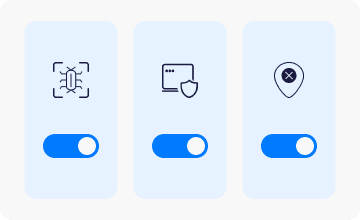
Enable Protection

03

Enable Protection

Toggle the switches to activate all protection features for complete web security.

常見問題集

我們的 Web Security 功能會即時掃描網址,並與持續更新的已知釣魚網站資料庫進行比對。當您試圖造訪可疑網站時,會在任何個人資訊遭到洩露之前立即收到警告。此保護功能可在您裝置上的所有瀏覽器和應用程式中運作。

是的。我們的網頁安全功能會在危險、釣魚和惡意網站或其他有害程式碼到達你的裝置之前將其封鎖。系統同時採用雲端掃描和本機分析,即使你離線也能確保受到保護。

是的。我們的網頁安全功能包含進階追蹤器封鎖,可防止網站透過 cookie、指紋辨識和隱形指令碼監控你的線上活動。你可以自訂保護等級,封鎖所有追蹤器,或允許來自受信任網站的特定追蹤器。

不會。我們的網路安全功能經過設計,能高效運作,對瀏覽速度的影響極小。系統在大多數作業中採用雲端掃描,並搭配輕量化的本機處理,不會明顯影響效能。事實上,許多使用者反而反映瀏覽速度變快了,因為我們的工具會封鎖佔用大量資源的廣告和追蹤程式。

當然可以。Web Security 能與我們的 VPN 技術無縫配合。事實上,當兩項功能同時啟用時,您將獲得全方位的防護:VPN 會加密您的連線並隱藏您的 IP,而 Web Security 則主動封鎖威脅、惡意網站以及不必要的追蹤。