下載 Firefox - VPN Master Pro

My IP Address is: 216.73.217.72, Country: United States, City:

VPN Master Pro for Firefox: Blazing-fast browser protection

  • Stay secure while browsing with our lightweight VPN extension for Firefox.
  • 使用分流隧道決定哪些網站通過 VPN。
  • Turn on Auto-Connect and enjoy privacy without lifting a finger.
  • Block ads, trackers, and malicious sites with Web Shield Protection.

Massive 85% Discount – Secure Your Freedom

Firefox VPN
Woman using VPN on laptop

What is the VPN Master Pro extension for Firefox?

VPN Master Pro 的 Firefox 擴充功能是一款輕量級的 VPN 代理外掛程式,可即時保護您的瀏覽器流量。它內含 Web Shield 等強大工具,用於封鎖惡意連結與追蹤器。

雖然它能保護您在 Firefox 上的活動,但具備防釣魚保護和智慧威脅防禦等進階功能的全裝置安全防護,僅在我們的原生 VPN Master Pro 應用程式中提供。

Want complete coverage? Download the full app for system-wide privacy.

How to set up VPN Master Pro on Firefox

VPN Master Pro's app for Firefox takes only a few moments to set up and is incredibly easy to use.

01
前往附加元件頁面

開啟 VPN Master Pro 在 Firefox 附加元件網站上的官方頁面: VPN Master Pro

02
Add to Firefox

點擊「新增至 Firefox」,並在提示時確認安裝。

03
登入並連線

開啟擴充功能,登入您的 VPN Master Pro 帳號,選擇伺服器(或使用快速連線),然後按下「連線」。

More privacy with for Firefox

Hide IP
Hide Your IP Instantly

Public Wi-Fi can be risky—VPN Master Pro’s Firefox extension lets you quickly change your IP address and stay anonymous. Protect up to 10 devices at once and keep your online activity secure from snoopers.

Fast Browsing
Fast, Unlimited Browsing

Enjoy smooth browsing with no speed caps or restrictions. VPN Master Pro keeps your Firefox traffic fast, private, and free from buffering—so you can stream, shop, or scroll without limits.

No Tracking
Zero Tracking, Total Privacy

Your data is yours alone. The VPN Master Pro Firefox extension never tracks or stores your browsing activity. We built it for privacy—plain and simple.

Advanced online protection at your command

Customize Your VPN to Fit Your Needs

使用分割通道(Split Tunneling)功能,選擇哪些網站透過 VPN 連線、哪些維持在您的一般連線上。在最重要之處保持安全的同時,享受更快的速度。

No-Logs Policy

Hide Your IP Address

Prevent IP leaks and block WebRTC exposure by connecting to VPN Master Pro's encrypted servers. Stay invisible—even on public networks.

No-Logs Policy
No-Logs Policy

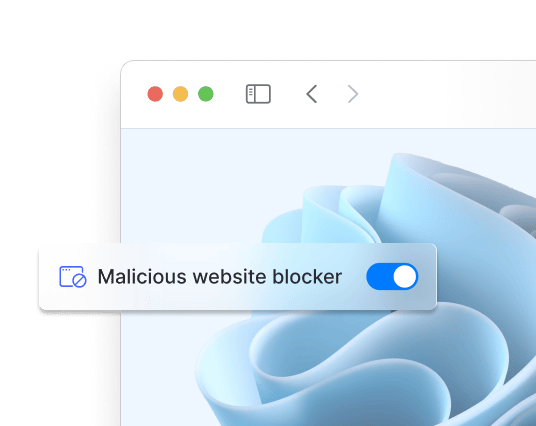
封鎖廣告與惡意網站

Turn on Web Shield to block trackers, popups, and unsafe sites. Protect your Firefox browser from phishing and malware threats in real time.

Hide Your IP Instantly

Public Wi-Fi can be risky—VPN Master Pro’s Firefox extension lets you quickly change your IP address and stay anonymous. Protect up to 10 devices at once and keep your online activity secure from snoopers.

Fast, Unlimited Browsing

Enjoy smooth browsing with no speed caps or restrictions. VPN Master Pro keeps your Firefox traffic fast, private, and free from buffering—so you can stream, shop, or scroll without limits.

Zero Tracking, Total Privacy

Your data is yours alone. The VPN Master Pro Firefox extension never tracks or stores your browsing activity. We built it for privacy—plain and simple.

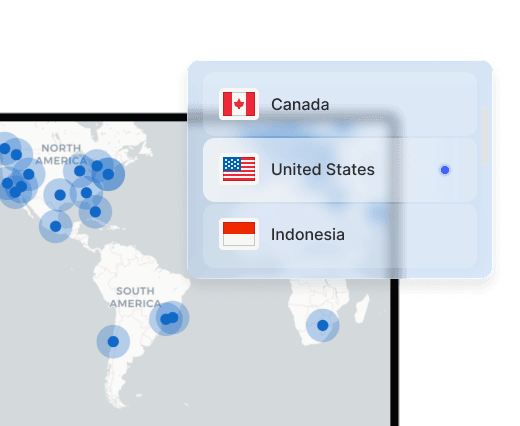
Access Thousands of Servers Worldwide

隨時隨地享受私密瀏覽。連接至我們遍佈全球的任一安全伺服器,體驗無與倫比的速度與安全性。

Global Servers
Multiple Devices

Use VPN Master Pro on Multiple Devices

Protect up to 10 devices at once—phones, laptops, routers, and more. One subscription. Full coverage.

Get VPN Master Pro risk free

你的隱私是我們的首要。享最高 85% 優惠並獲得全面安心。

立即下载

常見問題集

前往 VPN Master Pro Firefox 擴充功能 . Then click on the button at the top right corner named 'Add to Firefox'. Once the the extension is added to your browser, Log in into your VPN Master Pro account and enjoy your security.

Click the extension icon in the top-right corner of your browser window. You can then select a server from locations around the world or let Quick Connect pick the fastest option for you automatically.

No, Firefox does not come with a built-in VPN. However, you can use the VPN Master Pro extension for Firefox to secure your online activity.

是的,Windows 10 和 Windows 11 都具備作為虛擬私人網路運作的能力。不過,要在您的電腦上設定它,仍需要進行一些手動設定並具備相關技術知識。

VPN Master Pro 是 Firefox 上最佳的免費 VPN。它提供安全且私密的瀏覽體驗,具備 Web Shield 等功能可封鎖廣告與追蹤器,以及 Quick Connect 可自動連線至最快的伺服器。