How to disable Proxy Server on Windows
This article walks you through the steps to manually disable Proxy Server on your Windows device.
Disable Proxy Server on Windows 11
1: Press "Windows" button and search for Settings. Open Settings.

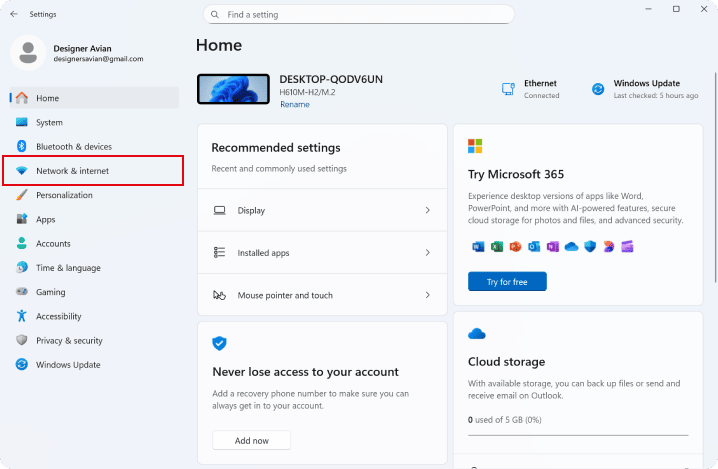
2: Navigate to "Network & Internet" in the left sidebar.
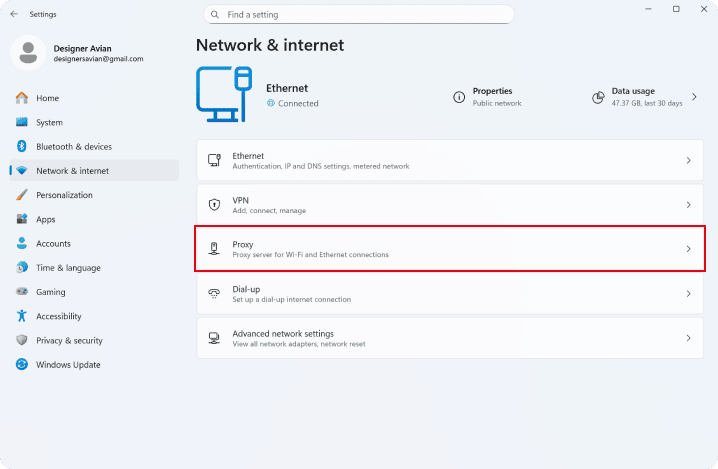
3: Click on "Proxy" to open the Proxy settings.
4: Click on "Edit" options under "Manual proxy setup".

5: Turn off the "Use a proxy server" option and save your changes.

Make sure "Use a proxy server" is turned off.

Disable Proxy Server on Windows 10
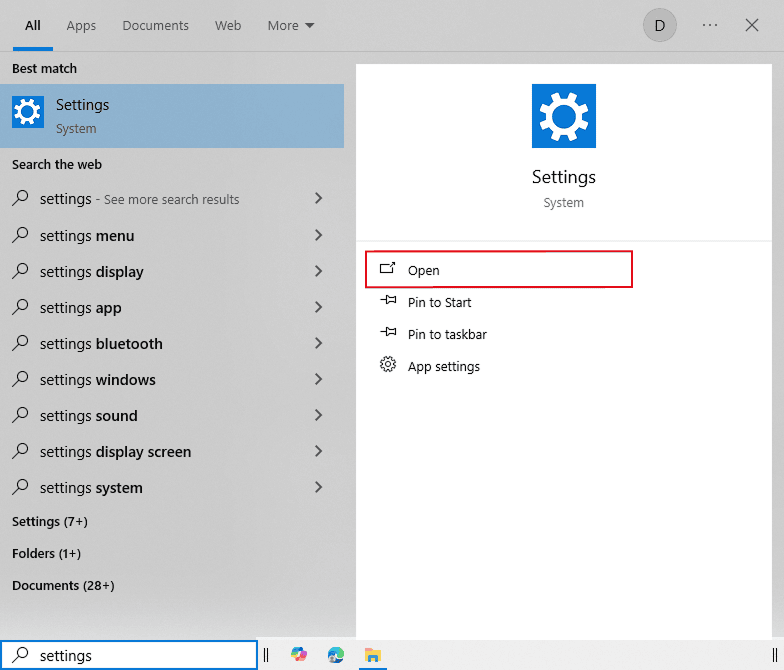
1: Press "Windows" button and search for Settings. Open Settings.
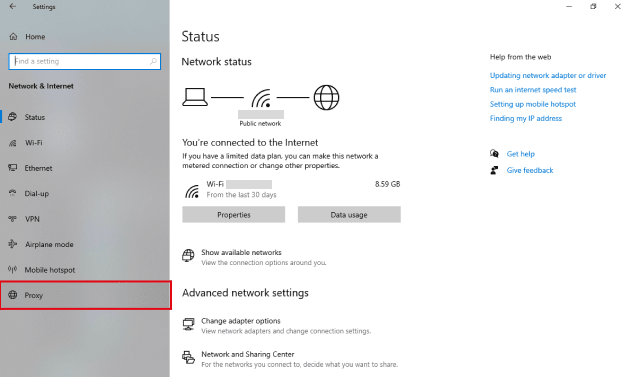
2: Click on "Network & Internet".

3: Navigate to "Proxy" to open the Proxy settings.
4: Turn off the "Use a proxy server" option.

Need More help?
If you are experiencing issues, please reach out to our support team for assistance.