Firefox VPN: Enhance Your Browsing Experience - VPN Master Pro

My IP Address is: 216.73.217.72, Country: United States, City:

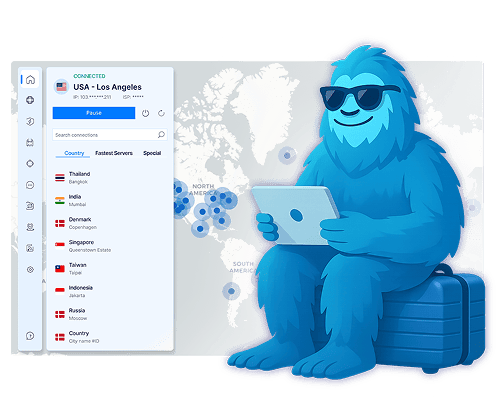
VPN Master Pro for Firefox: Blazing-fast browser protection

  • Stay secure while browsing with our lightweight VPN extension for Firefox.
  • Use Split Tunneling to decide which sites go through the VPN.
  • Turn on Auto-Connect and enjoy privacy without lifting a finger.
  • Block ads, trackers, and malicious sites with Web Shield Protection.

Massive 85% Discount – Secure Your Freedom

Firefox VPN
Woman using VPN on laptop

What is the VPN Master Pro extension for Firefox?

VPN Master Pro’s Firefox extension is a lightweight VPN proxy add-on that secures your browser traffic in real-time. It includes powerful tools like Web Shield to block malicious links and trackers.

While it protects your Firefox activity, full-device security with advanced features like Phishing Protection and Smart Threat Defense is available in our native VPN Master Pro apps.

Want complete coverage? Download the full app for system-wide privacy.

How to set up VPN Master Pro on Firefox

VPN Master Pro's app for Firefox takes only a few moments to set up and is incredibly easy to use.

01
Go to the Add-ons page

Open the official VPN Master Pro listing on Firefox Add-ons: VPN Master Pro

02
Add to Firefox

Click 'Add to Firefox' and confirm the installation when prompted.

03
Sign in & connect

Open the extension, sign in to your VPN Master Pro account, choose a server (or use Quick Connect), and press Connect.

More privacy with for Firefox

Hide IP
Hide Your IP Instantly

Public Wi-Fi can be risky—VPN Master Pro’s Firefox extension lets you quickly change your IP address and stay anonymous. Protect up to 10 devices at once and keep your online activity secure from snoopers.

Fast Browsing
Fast, Unlimited Browsing

Enjoy smooth browsing with no speed caps or restrictions. VPN Master Pro keeps your Firefox traffic fast, private, and free from buffering—so you can stream, shop, or scroll without limits.

No Tracking
Zero Tracking, Total Privacy

Your data is yours alone. The VPN Master Pro Firefox extension never tracks or stores your browsing activity. We built it for privacy—plain and simple.

Advanced online protection at your command

Customize Your VPN to Fit Your Needs

Use Split Tunneling to choose which sites run through the VPN and which stay on your regular connection. Get faster speeds while staying secure where it matters most.

No-Logs Policy

Hide Your IP Address

Prevent IP leaks and block WebRTC exposure by connecting to VPN Master Pro's encrypted servers. Stay invisible—even on public networks.

No-Logs Policy
No-Logs Policy

Block Ads & Malicious Sites

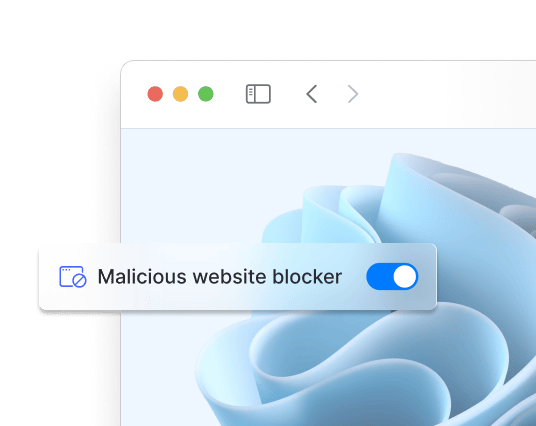
Turn on Web Shield to block trackers, popups, and unsafe sites. Protect your Firefox browser from phishing and malware threats in real time.

Hide Your IP Instantly

Public Wi-Fi can be risky—VPN Master Pro’s Firefox extension lets you quickly change your IP address and stay anonymous. Protect up to 10 devices at once and keep your online activity secure from snoopers.

Fast, Unlimited Browsing

Enjoy smooth browsing with no speed caps or restrictions. VPN Master Pro keeps your Firefox traffic fast, private, and free from buffering—so you can stream, shop, or scroll without limits.

Zero Tracking, Total Privacy

Your data is yours alone. The VPN Master Pro Firefox extension never tracks or stores your browsing activity. We built it for privacy—plain and simple.

Access Thousands of Servers Worldwide

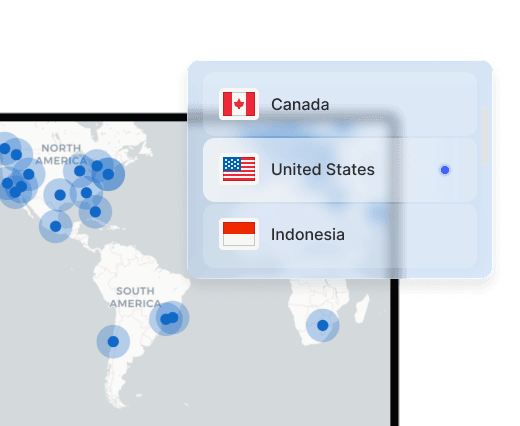
Enjoy private browsing from anywhere. Connect to any of our secure servers worldwide for unbeatable speed and security.

Global Servers
Multiple Devices

Use VPN Master Pro on Multiple Devices

Protect up to 10 devices at once—phones, laptops, routers, and more. One subscription. Full coverage.

Get VPN Master Pro risk free

Your privacy is our priority. Save up to 85% while enjoying complete peace of mind.

Download Now

Frequently Asked Questions

Go to VPN Master Pro Firefox Extension. Then click on the button at the top right corner named 'Add to Firefox'. Once the the extension is added to your browser, Log in into your VPN Master Pro account and enjoy your security.

Click the extension icon in the top-right corner of your browser window. You can then select a server from locations around the world or let Quick Connect pick the fastest option for you automatically.

No, Firefox does not come with a built-in VPN. However, you can use the VPN Master Pro extension for Firefox to secure your online activity.

Yes, both Windows 10 and 11 have the ability to function as a virtual private network. However, it does require some manual configuration and technical know-how to set it up on your computer.

VPN Master Pro is the best free VPN for Firefox. It provides a secure and private browsing experience, with features like Web Shield to block ads and trackers, and Quick Connect to connect automatically to the fastest server.

While your download starts — keep your privacy streak going