Download VPN Master Pro for iPhone & iPad (iOS) — Free

My IP Address is: 216.73.217.72, Country: United States, City:

Download a VPN app for iOS device

Enjoy secure access to your favorite content with one of the fastest iOS VPNs.

Strengthen your phone’s privacy and security on Wi-Fi and mobile data.

Hide your IP address and browse privately on iPhone or iPad.

Massive 85% Discount – Secure Your Freedom.
iOS VPN

What is a VPN for iOS?

A VPN (Virtual Private Network) protects your internet activity on iPhones and iPads. Simply put, it encrypts the data your device sends and receives, keeping it safe from prying eyes. It also hides your IP address and changes your virtual location — giving you more privacy, better security, and greater internet freedom.

Why use a VPN on your iOS device?

A VPN gives your iPhone or iPad extra layers of privacy by encrypting your internet traffic. Whether you’re browsing from home, a café, or overseas, it shields your data from trackers and snoopers. Try it risk-free with a 85% discount — no strings attached.

1. Browse and stream securely

Enjoy your favorite content and websites from anywhere with peace of mind. A VPN gives you more freedom while keeping your personal data safe.

2. Mask your IP address

VPNs change your device’s IP, making it harder for advertisers, hackers, or ISPs to track your online location or behavior.

3. Stay protected on public Wi-Fi

Using Wi-Fi in public places? A VPN encrypts your traffic to keep your iOS device safe from cyber threats and hackers.

4. Block harmful sites and ads

Avoid traps set by cybercriminals. VPNs like Threat Protection Pro™ detect malicious websites and suspicious ads before they can do harm.

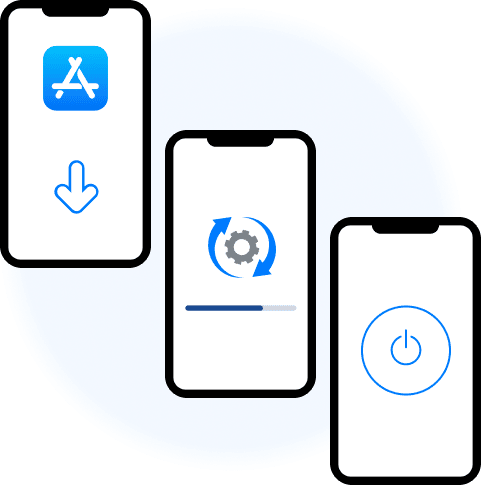
How to set up a VPN on iOS

1
Download from App Store

Search for VPN Master Pro in the App Store.

Get on App Store
2
Install the app

Tap 'Get' to download and install the app.

3
Connect

Tap the connect button to secure your device.

Setup on iOS
Setup on iOS

Getting started with our iOS VPN app

Just launch the app, tap to connect, and enjoy safe, fast, and private browsing. One tap is all it takes for better protection and a smoother experience on your iPhone or iPad.

On iPhone

Using a VPN on your iPhone keeps your data secure — even on public Wi-Fi. Your connection stays private wherever you go.

On iPad

Whether you're working on creative projects or traveling with your family, a VPN on your iPad helps protect your privacy and unlocks more browsing freedom.

Why choose VPN Master Pro for your iPhone or iPad?

1. Lightning-fast connection

VMPGuard tech gives you super-fast speed to stream, browse, or work without lags.

2. Military-grade encryption

256-bit AES encryption keeps your data private from hackers, ISPs, and snoopers.

3. Huge server network

Access locations worldwide for faster and more open internet.

4. Built-in threat protection

Block malicious ads and trackers to stay safe while browsing.

5. Extra security tools

Use Meshnet, Kill Switch, Onion Over VPN, and Dark Web Monitor for added protection.

6. Simple to use

Connect in seconds — just a few taps even on public Wi-Fi.

7. Siri support

Use Siri to connect hands-free. Stay protected with your voice.

8. One account for 10 devices

Cover your iPhone, iPad, Mac, TV, and more — all under one plan.

Get VPN Master Pro risk free

Your privacy is our priority. Save up to 85% while enjoying complete peace of mind.

Download Now

Frequently Asked Questions

No, iOS devices do not have a built-in VPN feature. However, you can use third-party VPN apps like VPN Master Pro to secure your internet connection and protect your privacy.

With trusted VPN providers, any speed reduction is usually minimal and won’t interfere with your browsing. Premium services use optimized servers and smart algorithms to keep your connection fast and smooth.

Yes, free VPNs are available for iOS, but they may pose risks like weak security or selling your data. Running a secure VPN requires major investment, which is why many free services cut corners. For stronger protection and privacy, it’s better to go with a trusted paid VPN that keeps no logs and invests in its infrastructure.

Yes, the VPN Master Pro app supports English, Arabic, Catalan, Croatian, Czech, Danish, Dutch, Finnish, French, German, Greek, Hebrew, Hindi, Hungarian, Indonesian, Italian, Japanese, Korean, Malay, Norwegian Bokmål, Polish, Portuguese, Romanian, Russian, Simplified Chinese, Slovak, Spanish, Swedish, Thai, Traditional Chinese, Turkish, Ukrainian, and Vietnamese languages.

While your download starts — keep your privacy streak going