How to add new email address for Dark Web Monitoring
You can add upto 9 other emails except the primary one for monitoring.
Add new email address through Windows app
You need to have the VPN Master Pro app installed. Follow these steps to use Dark Web Monitoring:
-
Open the VPN Master Pro app.
-
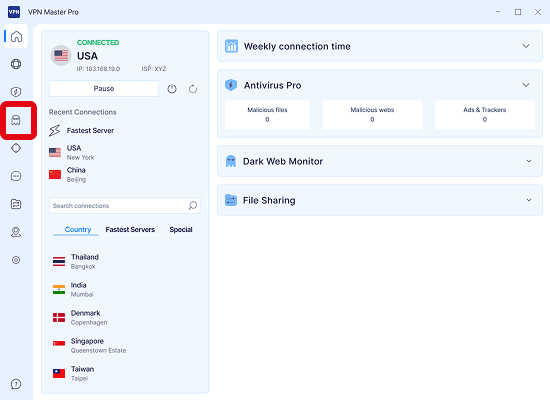
Click the Dark Web Monitor button on right side navigation bar:
-
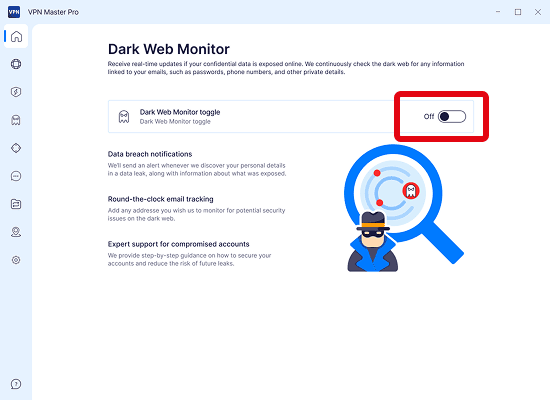
Enable Dark Web Monitor if you've found the toggle switch deactivated.
-
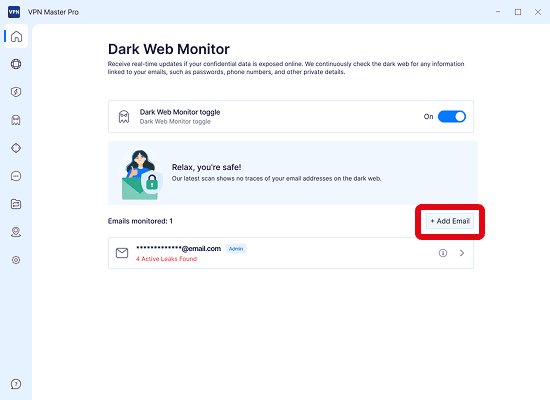
Click on Add Email button.
-
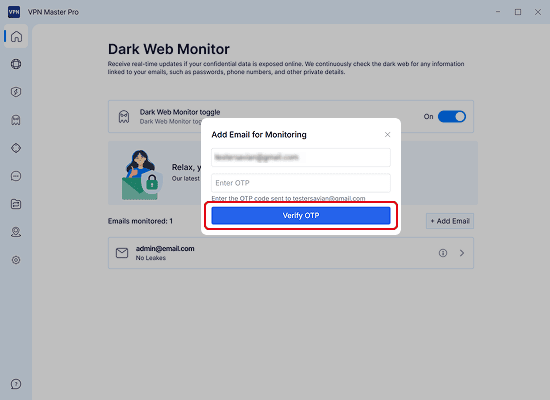
Enter the new email address you want to monitor and click the Add button:

-
Enter the verification code (OTP) sent to the new email address.
-
Then the new email address will be started being monitored along with the admin email.
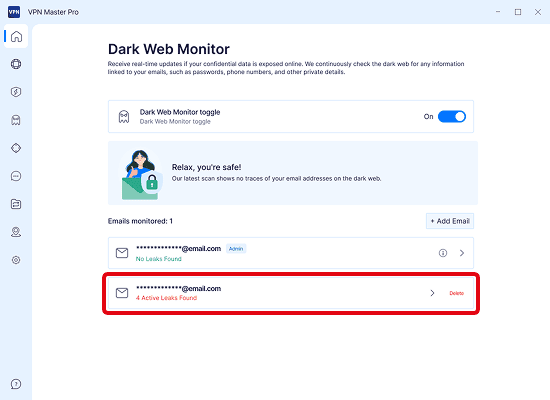
If you see that your data has been leaked, make sure to safeguard your data by following the steps:What to do next if my data is leaked?
Dark Web Monitoring on Android
To use Dark Web Monitoring on Android, you need to have the VPN Master Pro app installed. Follow these steps to use Dark Web Monitoring:
-
Open the VPN Master Pro app.
-
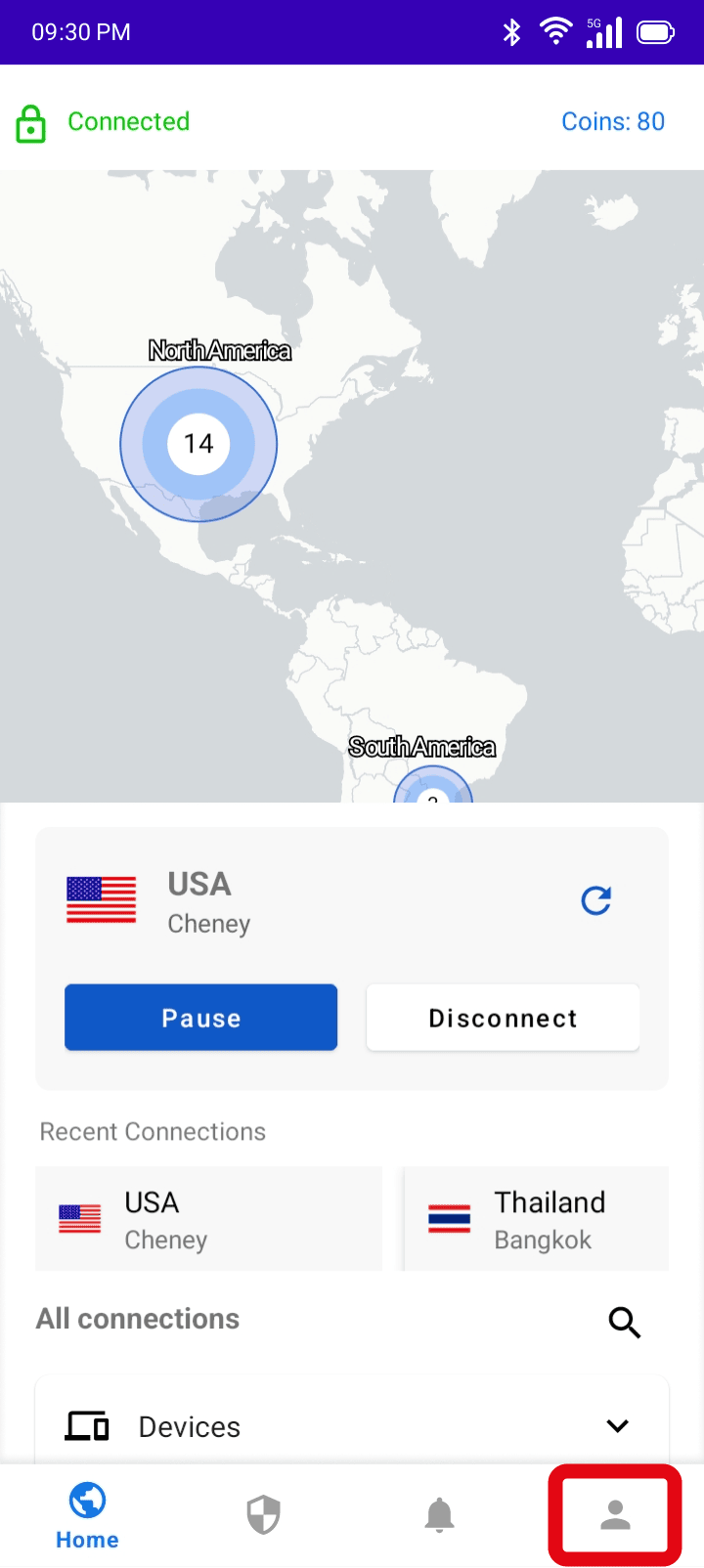
Tap the profile icon in the bottom right:
-
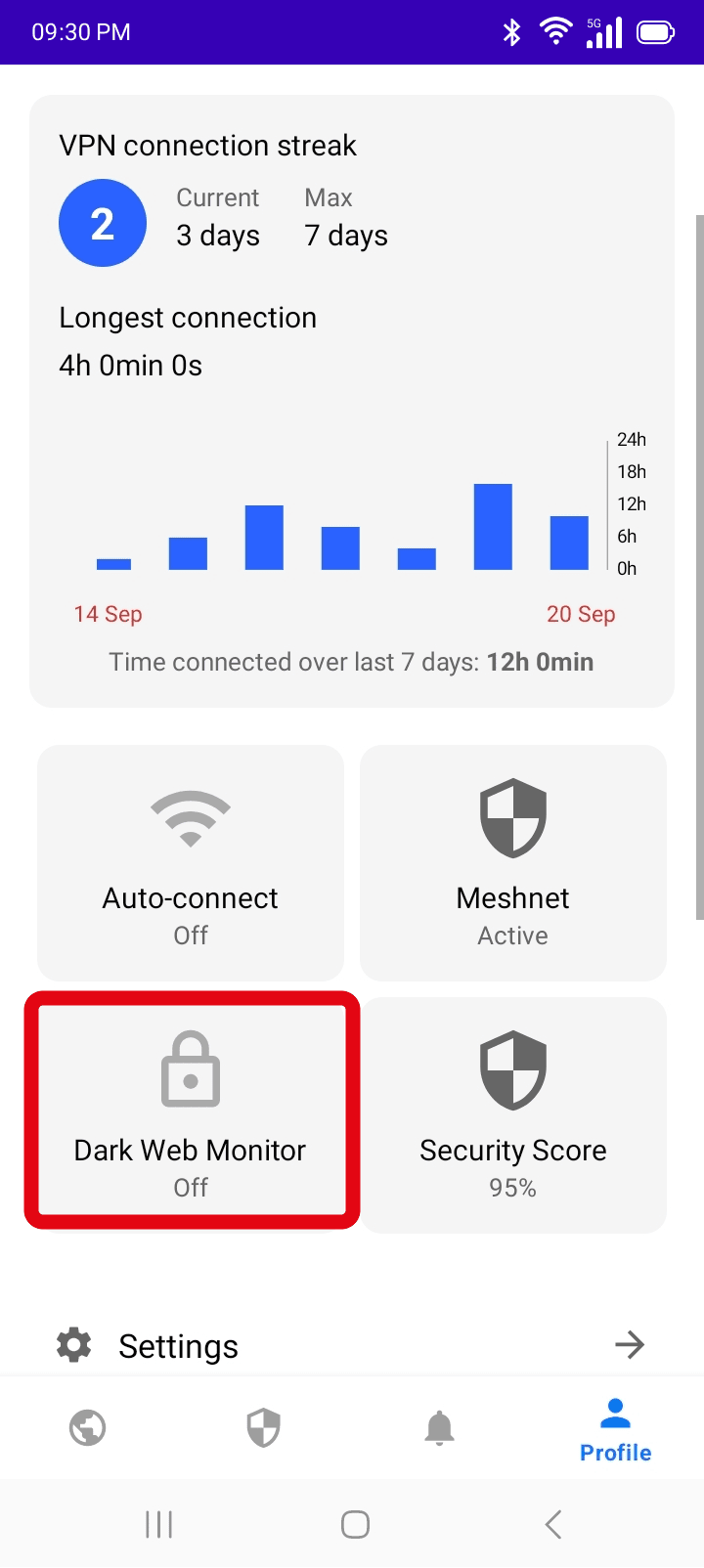
Tap: Dark Web Monitor
-
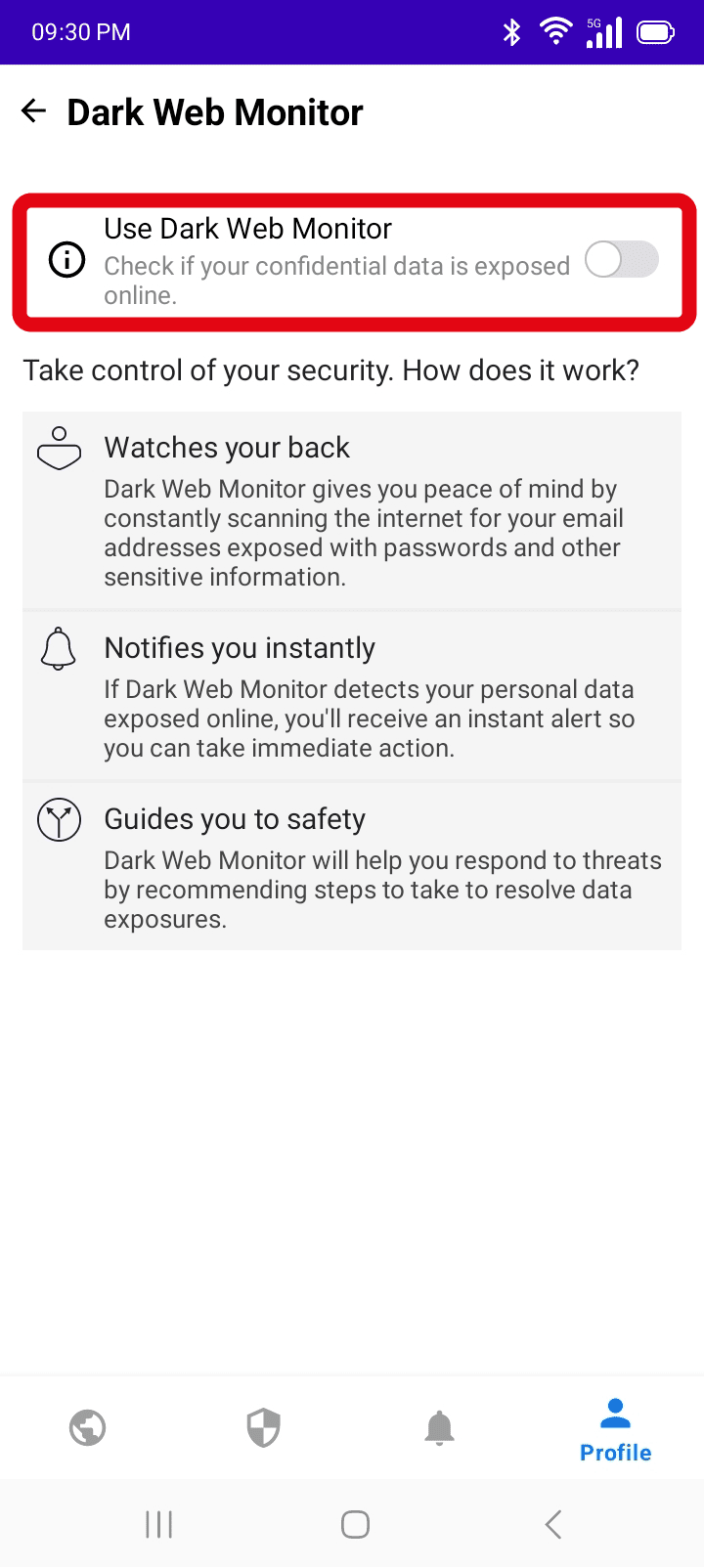
Turn on Dark Web Monitor if you've found the toggle switch off.
-
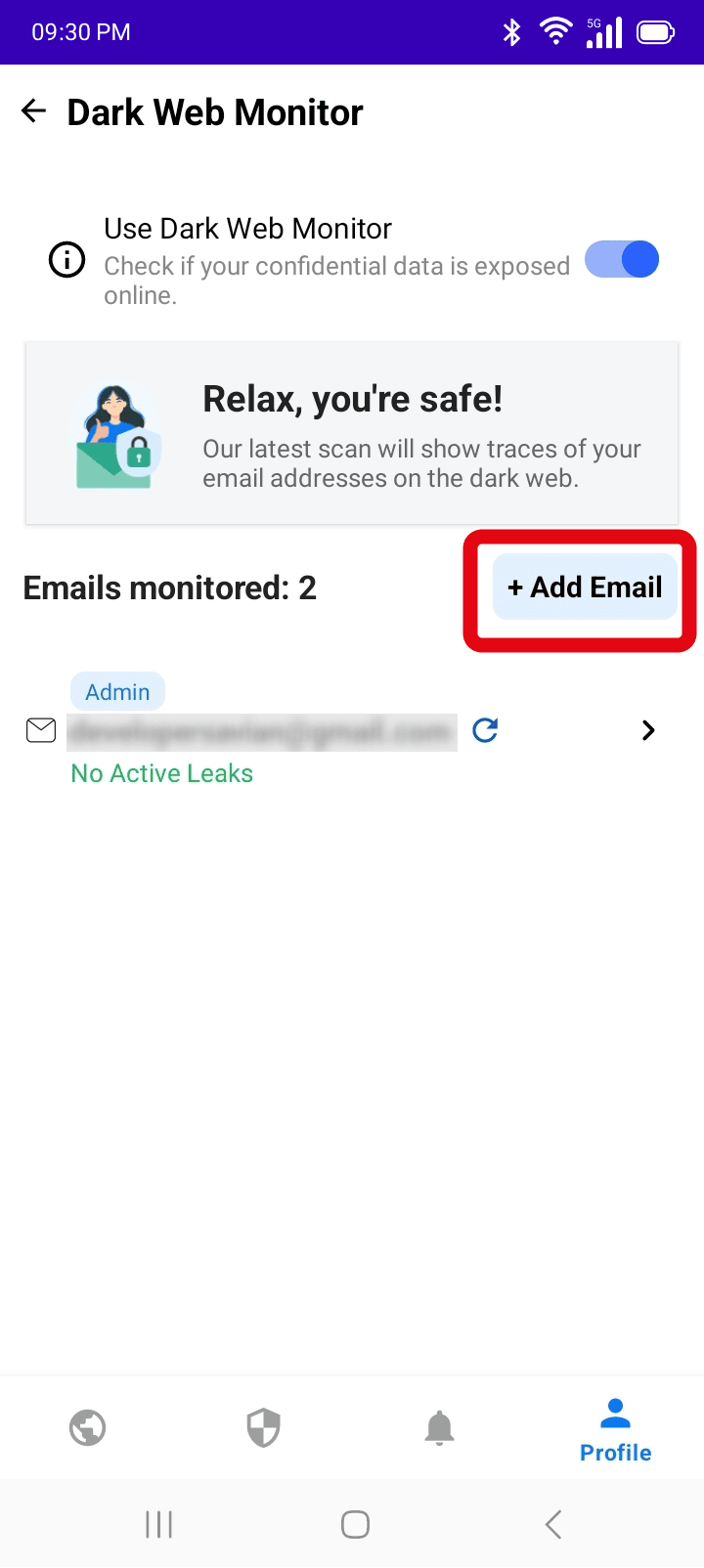
Click on Add Email button.
-
Enter the new email address you want to monitor and click the Add button:

-
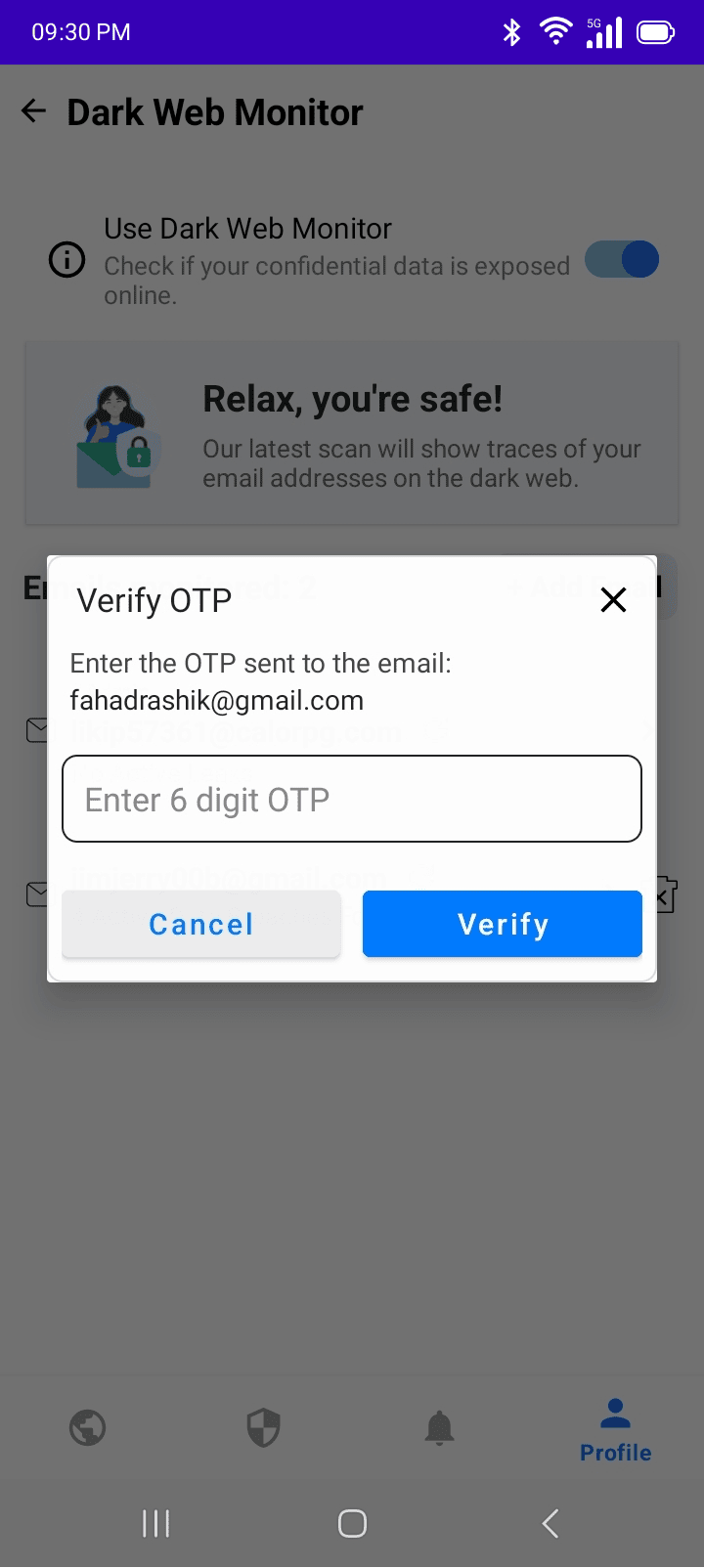
Enter the verification code (OTP) sent to the new email address.
-
Then the new email address will be started being monitored along with the admin email.
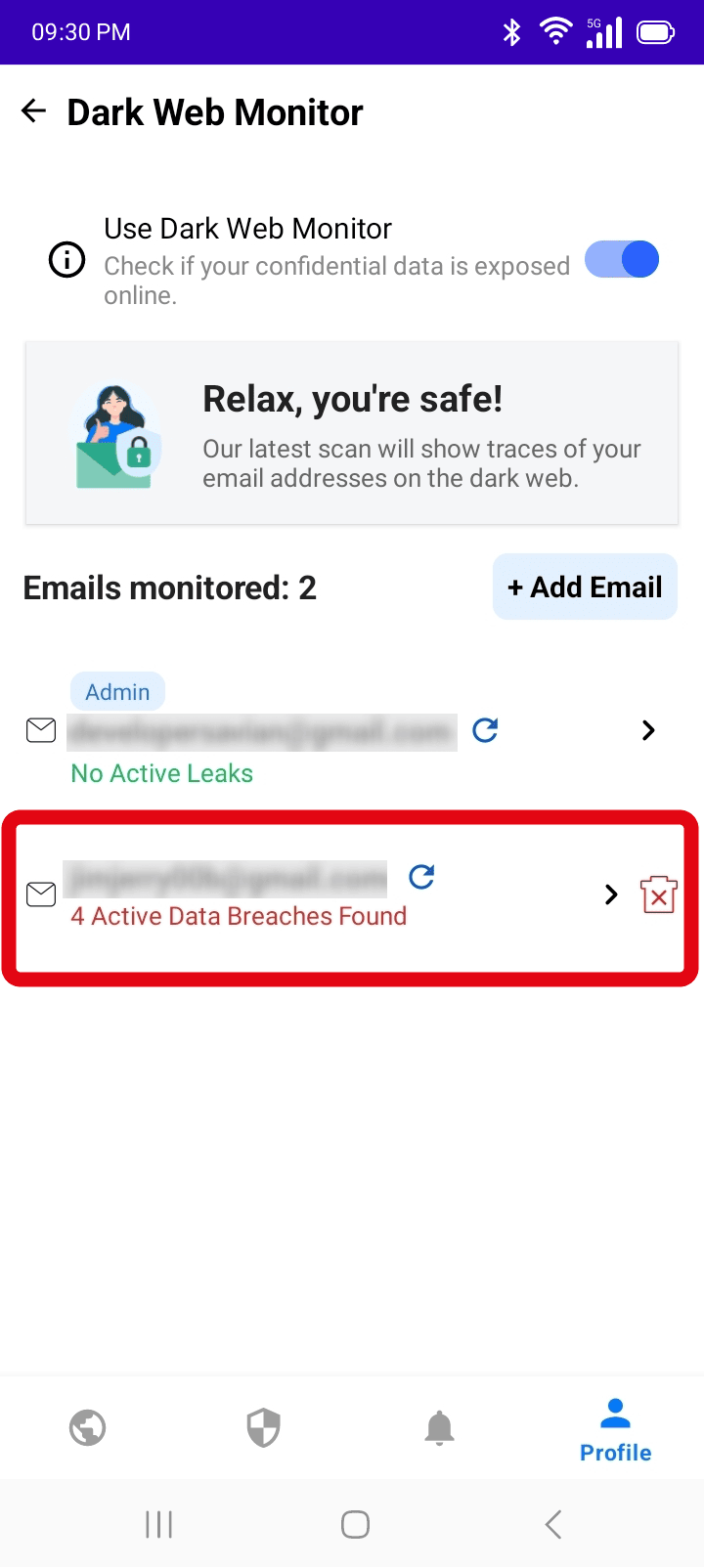
If your data has been leaked, make sure to follow the steps on how to protect yourself: What to do next if my data is leaked?
Dark Web Monitoring on account dashboard
You need a VPN Master Pro account to use Dark Web Monitoring. If you don't have an account, you can create one easily.
-
Visit: 'my.vpnmasterpro.com'
-
Log into your account
-
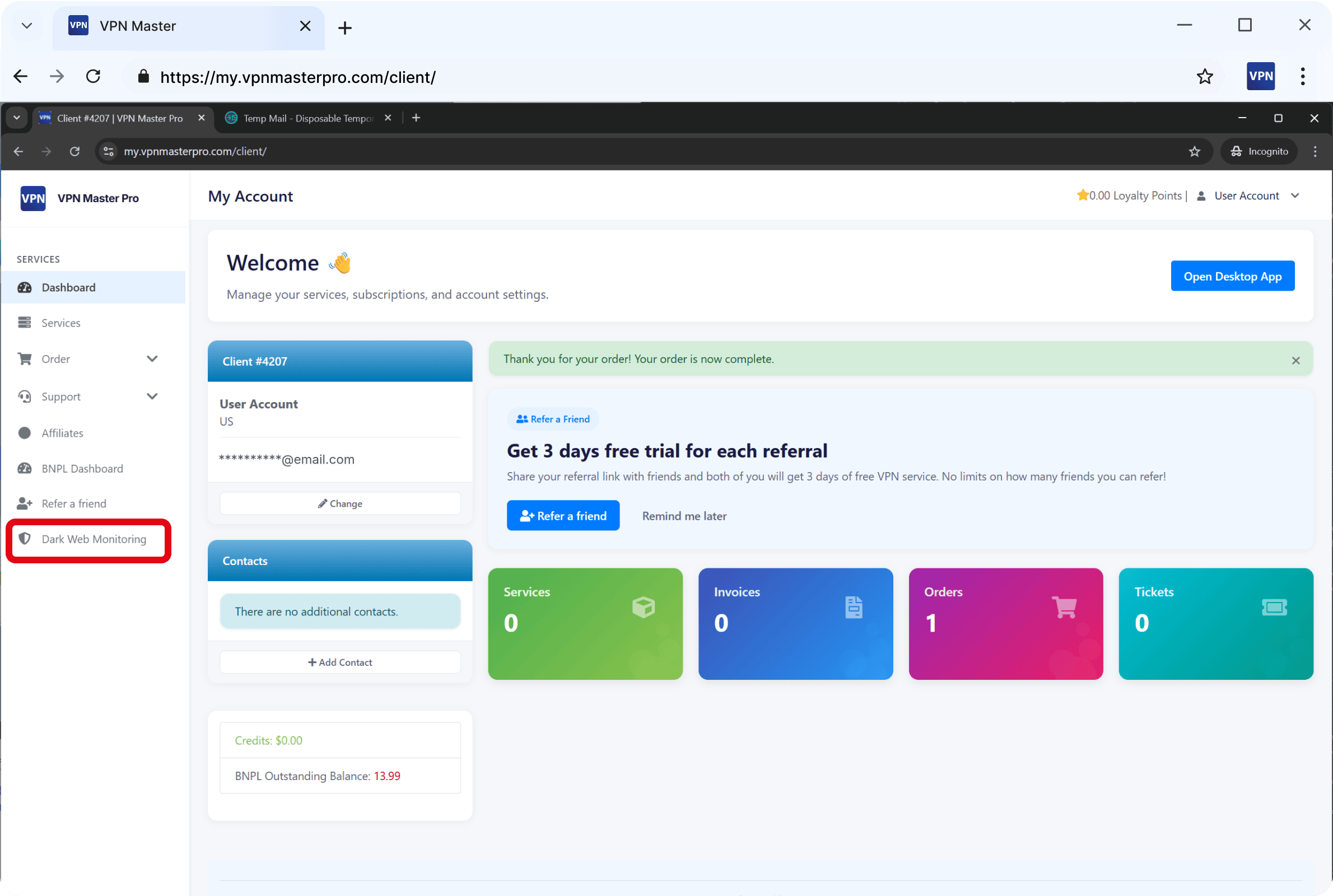
Click: Dark Web Monitor from the right side navigation panel
-
Click on Add Email button.
-
Enter the new email address you want to monitor and click the Add button:
-
Enter the verification code (OTP) sent to the new email address.
-
Then the new email address will be started being monitored along with the admin email.
Need More help?
If you are experiencing issues, please reach out to our support team for assistance.