Download VPN Master Pro for Windows — Free, Direct Link

My IP Address is: 216.73.217.72, Country: United States, City:

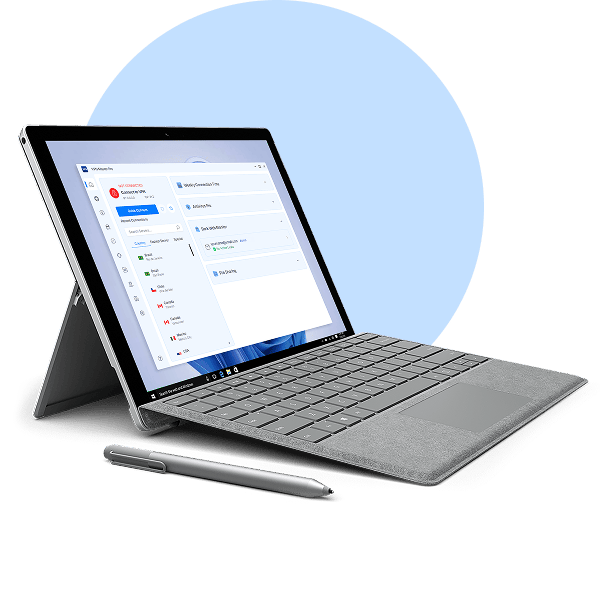
Download a VPN for a Windows PC, laptop, or Surface Pro device

Hide your IP and browse privately on Windows in one click.

Access content securely with one of the fastest VPN apps for Windows.

Set up VPN Master Pro easily on Windows 10 (64-bit) or Windows 11.

Massive 85% Discount – Secure Your Freedom.
Windows VPN

What is a VPN for Windows?

A VPN for Windows is a cybersecurity tool that secures your online traffic while you browse, stream, or work on your Windows device. When you connect to a VPN server using a VPN client, your internet connection becomes encrypted and you get a VPN server's IP address. It lets you explore the internet with increased privacy and security.

A VPN for Surface Pro and other ARM devices

VPN Master Pro is one of the first providers to support a native VPN implementation for Windows ARM devices, including the latest Surface Pro series. Download our VPN app to shield your online activities from prying eyes and enjoy the performance of your ARM-based Windows devices with peace of mind.

VPN for Surface Pro

How to set up the Windows VPN app

VPN Master Pro's app for Windows takes only a few moments to set up and is incredibly easy to use.

01
Download and Install

Get a dedicated VPN Master Pro app for your device.

02
Sign up

Sign up for a VPN Master Pro account.

03
Connect

Log in and connect to a VPN server.

Manual VPN Setup

Manual setup

Want to configure your Windows VPN manually? The steps required for a manual setup depend on the version of the software and the VPN protocol you want to use. You may also need to adjust your operating system configuration to set up your Windows Firewall for VPN Master Pro.

Find the tutorials on our support page and tinker with your connection settings:

Instructions for manual OpenVPN setup

Why choose the VPN Master Pro app for Windows?

VPN Master Pro offers many additional security features VPN users like.

Secure streaming

Securely access streaming services from home without buffering, thanks to our fast servers and our SmartPlay technology work in magic.

Fastest connection

Fast connection! One of the best VPNs for speed. Thanks to thousands of servers across locations worldwide and our VPN protocol, we can offer one of the fastest connections on the market.

Split tunneling

Pick and choose which apps, programs, or URLs are secured while leaving others out of the encrypted tunnel.

Meshnet

Securely access and share files on other devices or join virtual LAN parties with our Meshnet feature.

Easy to use

One click is enough to establish a secure VPN connection on all your devices.

Obfuscated servers

Connect to obfuscated servers to prevent others from seeing that you're using a VPN and blocking your VPN traffic.

ARM devices support

Use our native VPN app for Windows ARM devices to connect to VPN servers worldwide without a hitch.

If you need help, drop us an email or visit our Help Center for 24/7 assistance.

Get VPN Master Pro risk free

Your privacy is our priority. Save up to 85% while enjoying complete peace of mind.

Download Now

Frequently Asked Questions

Yes, there are free VPNs for PCs. However, it’s not advisable to use them. A free VPN offering you the same services as a paid one is risky at best. Most free VPN providers profit from selling your data to third parties and use subpar encryption, putting your privacy and security at risk.
If you want to find the best VPN for your Windows device, you can try out VPN Master Pro with discount. If you cancel within 29 days of signing up, you’ll receive a full refund.

A good VPN lets you live your online life with confidence, improving your safety without interfering with your work, streaming, and browsing activity. But the best VPN for Windows should go above and beyond what other VPN services offer — it should also offer a wide selection of VPN server locations, the best VPN speeds on the market, and a host of useful features.
VPN Master Pro operates ultra-fast VPN servers worldwide around the world — you’ll always be able to pick a server close to you for the best VPN experience. Thanks to our VMPGuard, OpenVPN, and WireGuard protocols optimized for speed and security, VPN Master Pro currently offers some of the fastest VPN speeds on the market.
VPN Master Pro also comes with additional security tools to improve the online experience on your Windows PC. For example, our built-in Web Security helps protect you from phishing, scams, and intrusive ads while you’re browsing, letting you explore the internet with peace of mind. Windows users can also enjoy access to private cloud storage with end-to-end encryption and zero-knowledge architecture to keep your files safe.

Buy a VPN Master Pro subscription, and you’ll be able to use the VPN service on up to ten devices simultaneously. Besides Windows 11 (and other Windows operating systems), VPN Master Pro also supports macOS, iOS, Android, Linux, and extensions for Firefox and Chrome.
To secure your internet traffic, open the app on your Windows device, log in to your account, and click the Quick Connect button — it will connect you to the fastest VPN server available.

Yes, both Windows 10 and 11 have the ability to function as a virtual private network. However, it does require some manual configuration and technical know-how to set it up on your computer.

Select the latest VPN Master Pro app version according to your Windows PC parameters.
The full VPN Master Pro version with all the latest features:
Download 64-bit app for Windows 10/11
For the best security and performance, we recommend using VPN Master Pro on the latest Windows versions. However, if you’re using Windows 7, Windows 8.1, or any 32-bit version, you can still secure your traffic with VPN Master Pro. Keep in mind that our apps for these systems no longer receive feature and security updates.
Download 64-bit app for Windows 7/8.1
Download 32-bit app for Windows

Yes, VPN Master Pro is available on most Windows devices with 64-bit ARM processors, including the Surface Pro series, HP Elite Folio, Lenovo Yoga 5G, and Samsung Galaxy Book S. A dedicated VPN Master Pro app allows you to encrypt your connection and change your IP address with only a couple of clicks. Though Threat Protection features are currently not available on ARM-based devices, our developers are working on it. So stay tuned!

To disconnect from a VPN Master Pro server, open the app and click “Disconnect.” You will get the choice to temporarily suspend your VPN connection for 5, 15, or 60 minutes, but you will also be able to disconnect completely.

In addition to English, the VPN Master Pro Windows app supports French, German, Spanish, Japanese, Traditional Chinese, Korean, Italian, Brazilian Portuguese, Simplified Chinese, Swedish, Dutch, and Polish languages.

While your download starts — keep your privacy streak going